Free WooCommerce plugin · wordpress.org
Send your shop on holiday – it reopens by itself.
Disable Sales for WooCommerce closes the shop for the period you choose: nothing can be bought, customers see a notice with the dates, and the day after the shop is open again. Once or every year.
Install straight from your WordPress admin: Plugins → Add New → “Disable Sales for WooCommerce”.
§ 01
What it is for
01
Holidays
You are away for two weeks and cannot ship. Instead of annoyed customers and long delivery times, the shop shows a clear notice.
02
Stock-take and moving
Counting or moving the warehouse: a few days without orders, without marking products out of stock.
03
Every year
Closed between Christmas and Epiphany: set it once, tick “Repeat” – it works across New Year too.
§ 02
Features
- First and last closed day – both included, the shop reopens at midnight the day after (shop timezone)
- Yearly repeat, also across New Year (e.g. 20 December to 6 January)
- Products cannot be bought; existing carts cannot be checked out
- Notice on the cart and checkout – optionally on every page
- Your own notice text with [date_from] and [date_to]
- Classic and block checkout; HPOS compatible
- English, German and Polish
§ 03
What it looks like
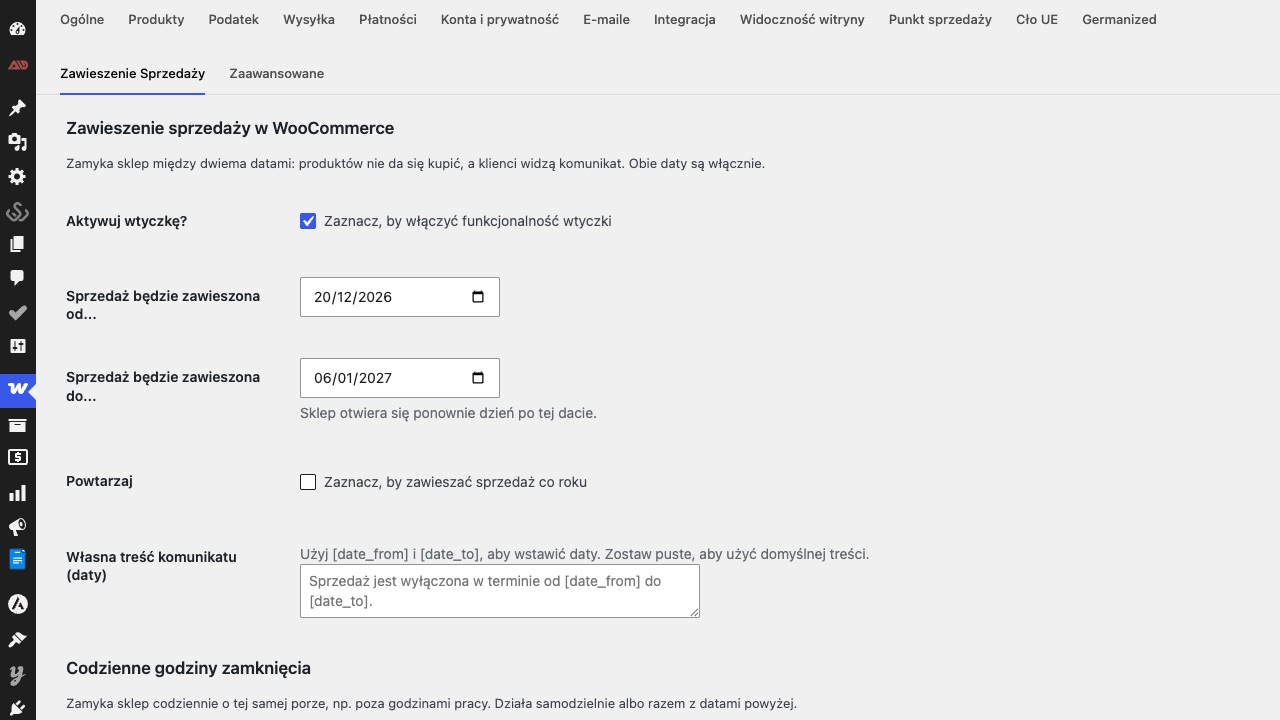
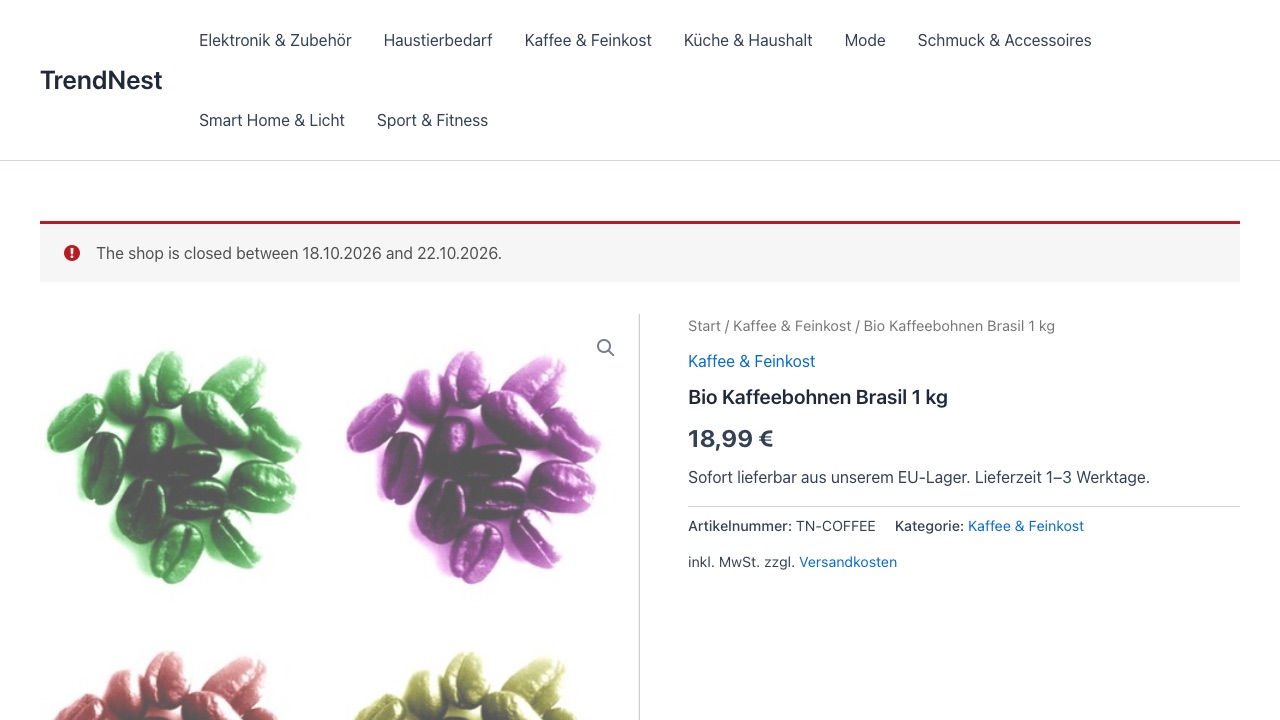
§ 04
Three steps
- 01
Download the plugin from wordpress.org or install it straight from your WordPress admin, then activate it.
- 02
Open WooCommerce → Settings → Disable Sales, enable the plugin and pick both dates.
- 03
Optional: repeat every year, notice on every page, your own text.
§ 05
Frequently asked questions
01Is the “until” date included?
Yes. If the shop is closed until 15 August, customers can buy again from midnight on 16 August – in your shop’s timezone.
02What happens to open orders?
Nothing. Existing orders, subscriptions and the admin work as usual; only new purchases are blocked.
03Does the plugin cost anything?
No. It is free and open source (GPL) on wordpress.org. There is no Pro version.
04Does it work with the block checkout?
Yes. In the block cart and checkout the notice appears as an error that prevents the purchase.